Disable a Hidden Field that is Required When Shown!
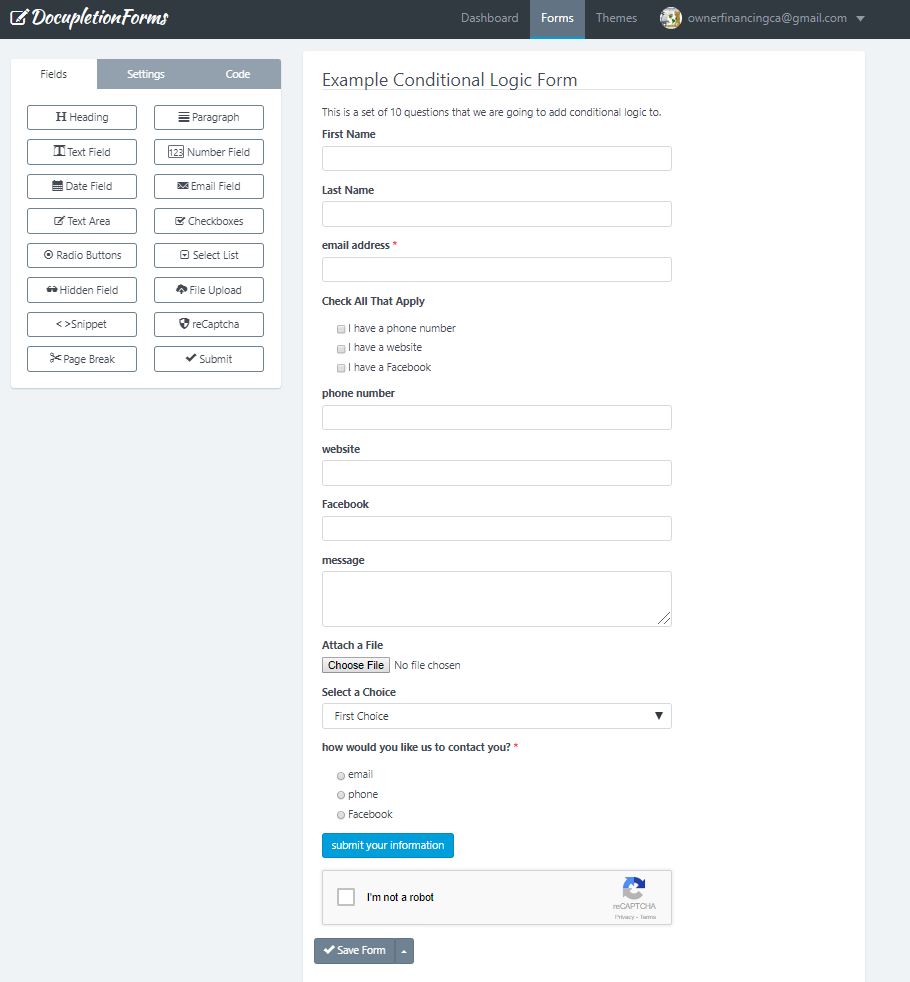
1. If you have a checkbox that you want checked so that people filling out your form, you have to uncheck to deselect it rather than check it to select it, type the following:
|check
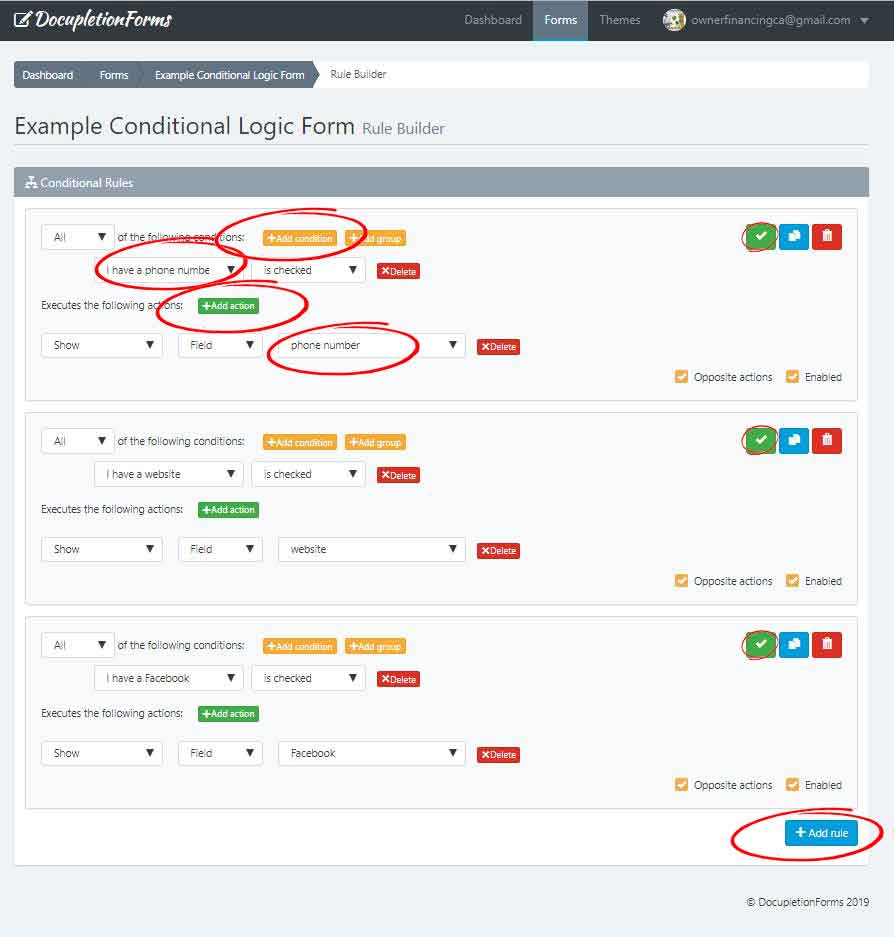
Right after the selection in the checkbox just like the illustration below.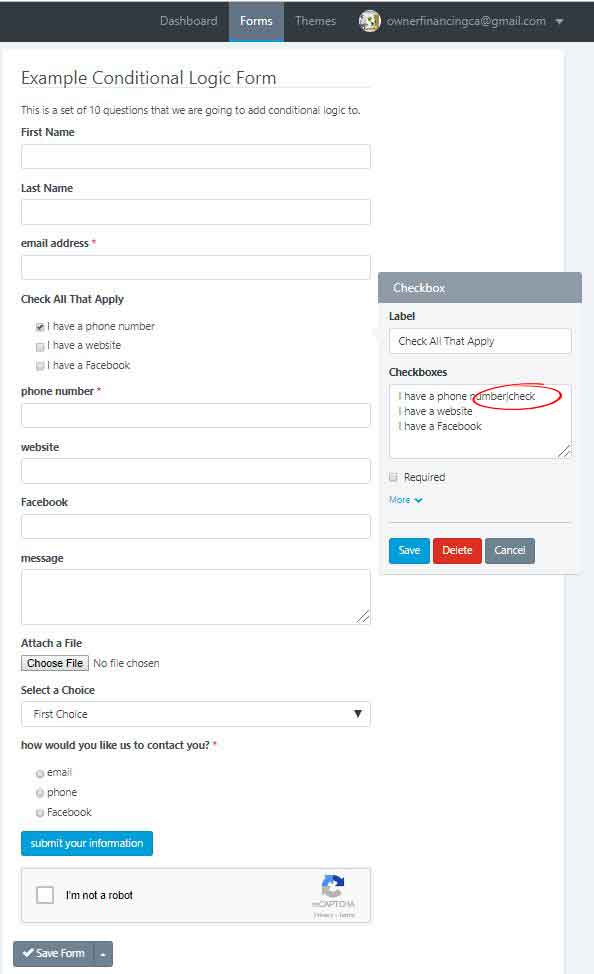
2. Then in the field that you want shown if somebody leaves the checkbox checked, click required so that we can then go to the conditional logic to show you how to properly conditionally disable and enable the required field.
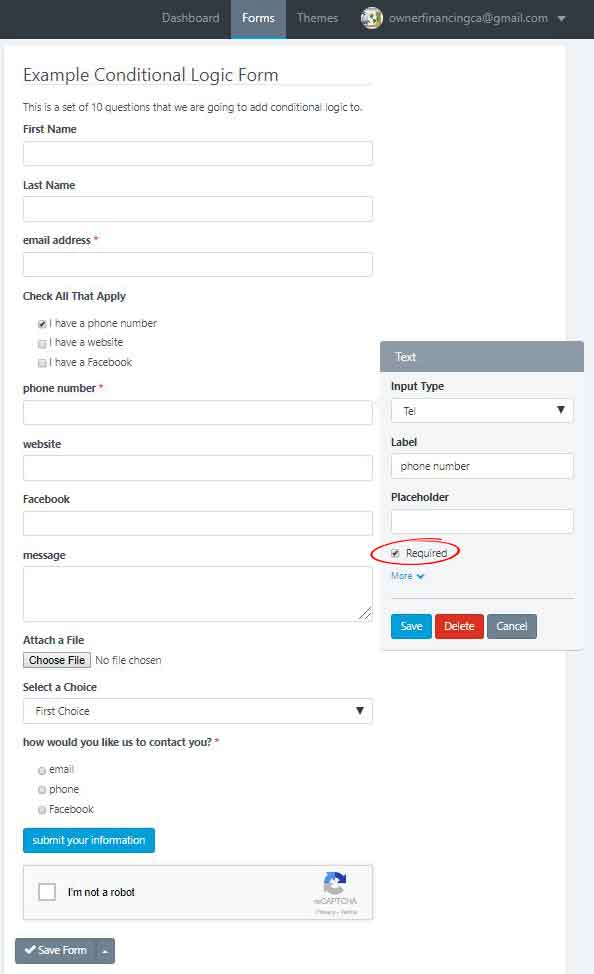
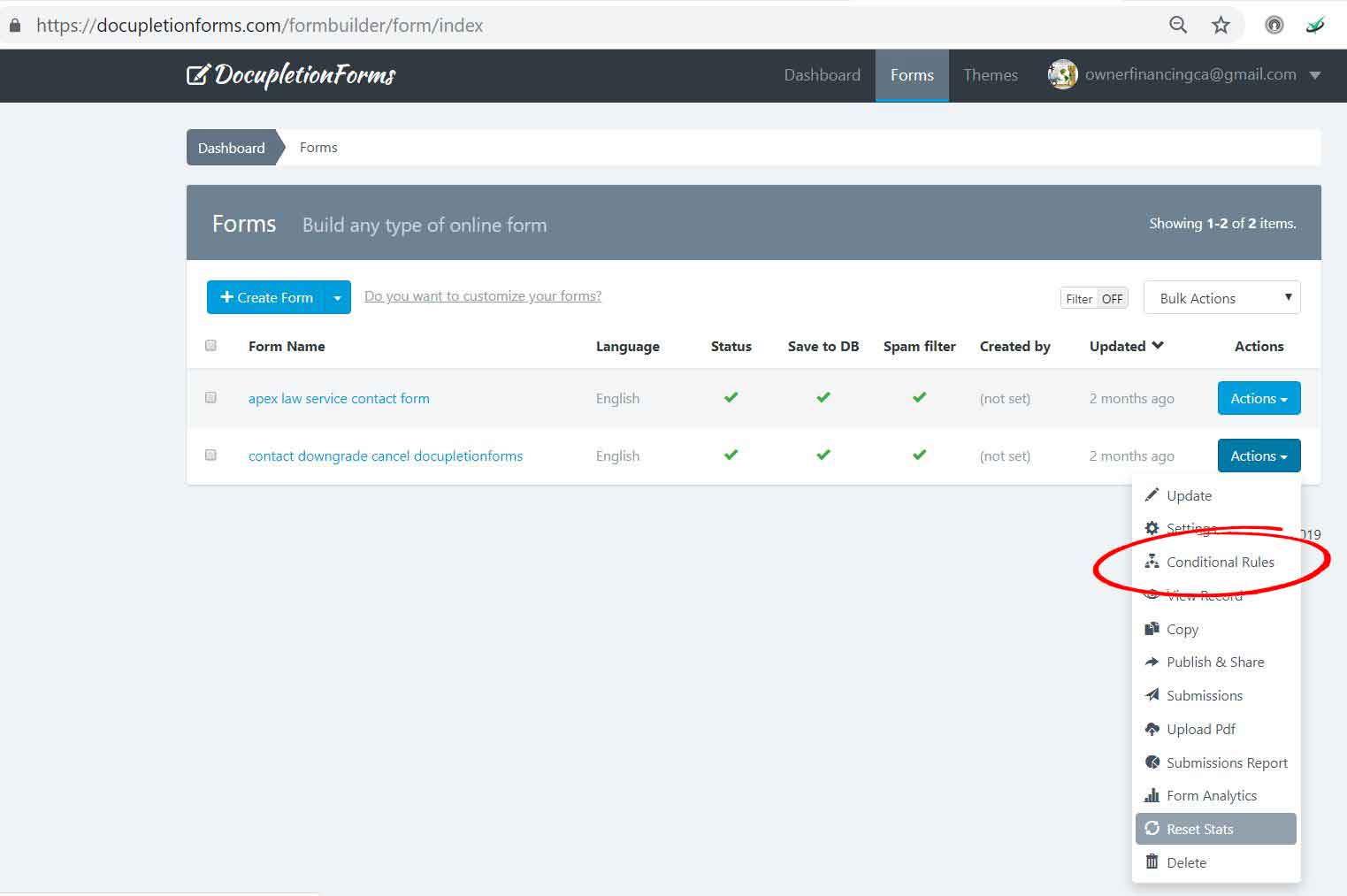
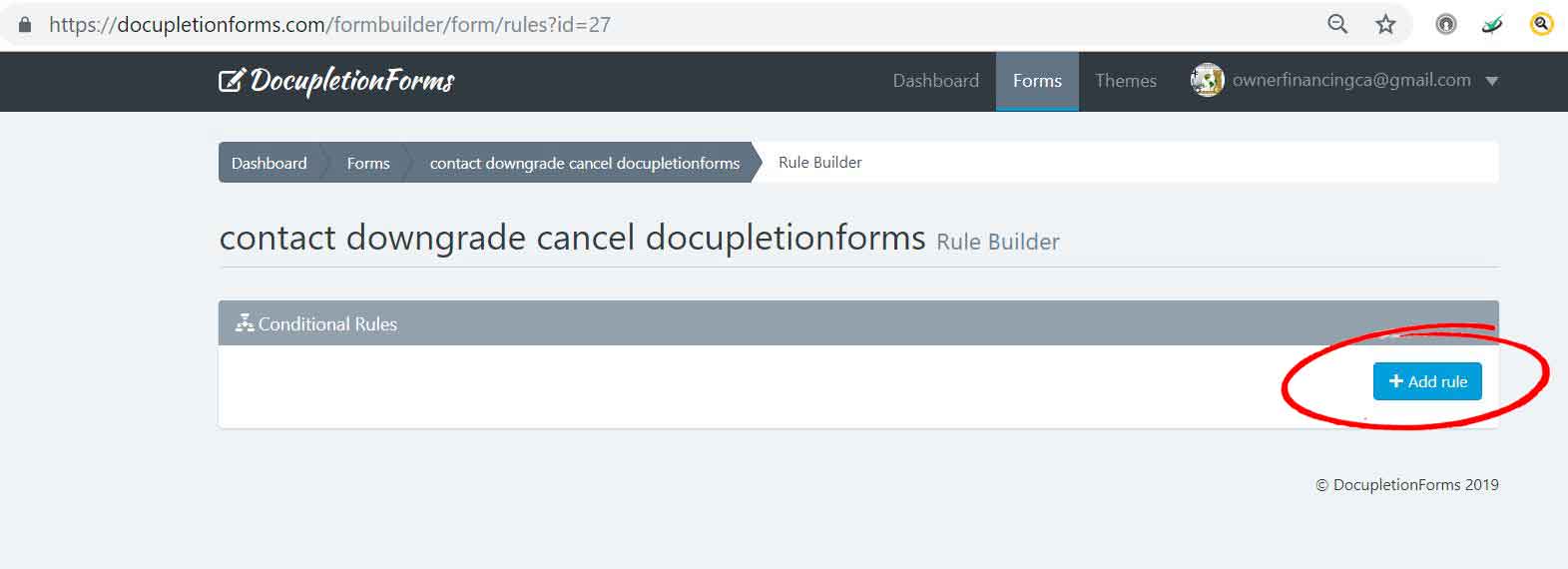
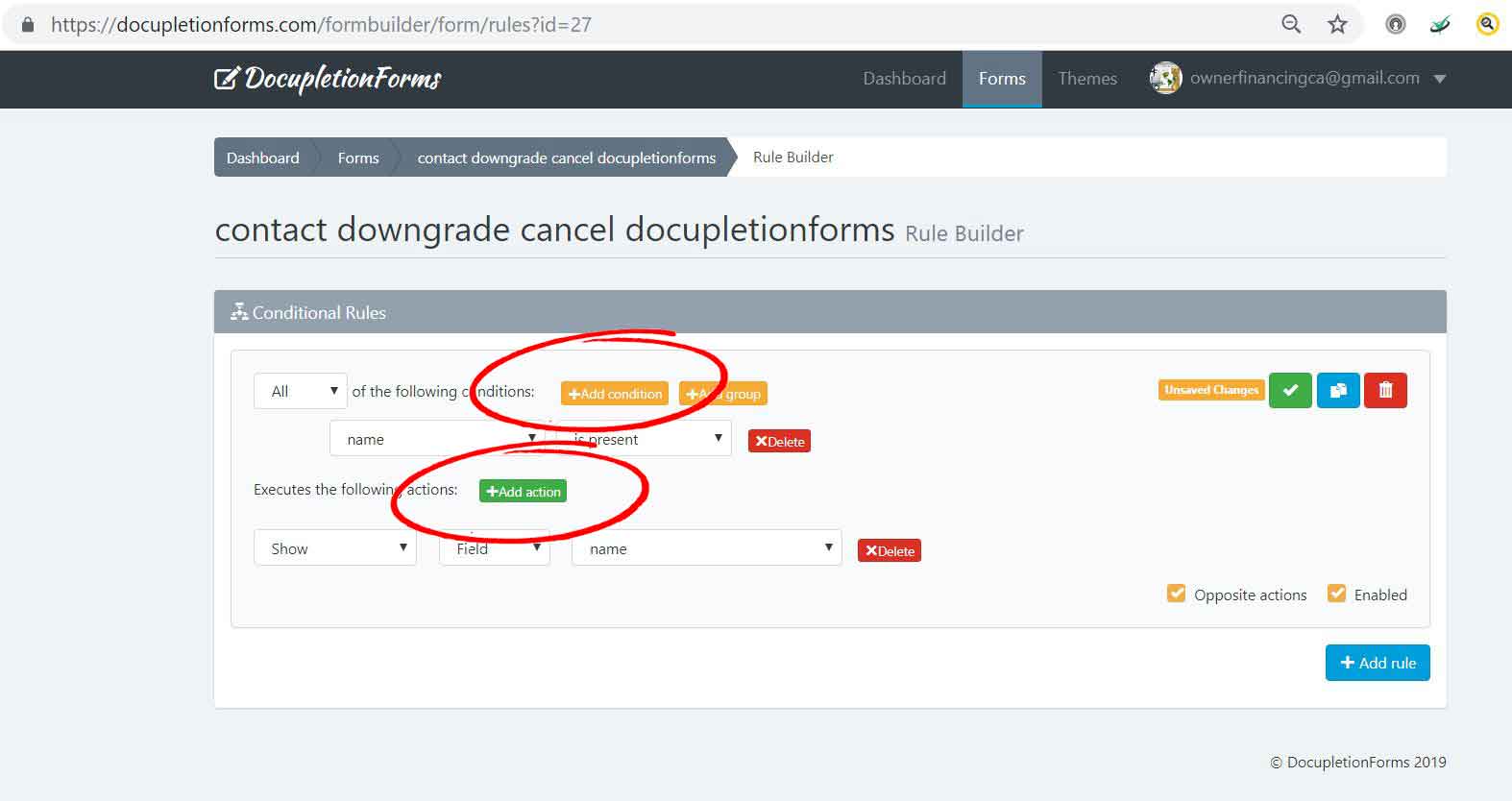
3. Check to disable the field in the add action when the checkbox is not checked. then make sure to make a second rule (at the very bottom) that hides the field is the checkbox is not checked. This way you do not set the field to be required and when it is hidden have a form that cannot be submitted because there is a hidden yet still required field. fun, fun, fun.
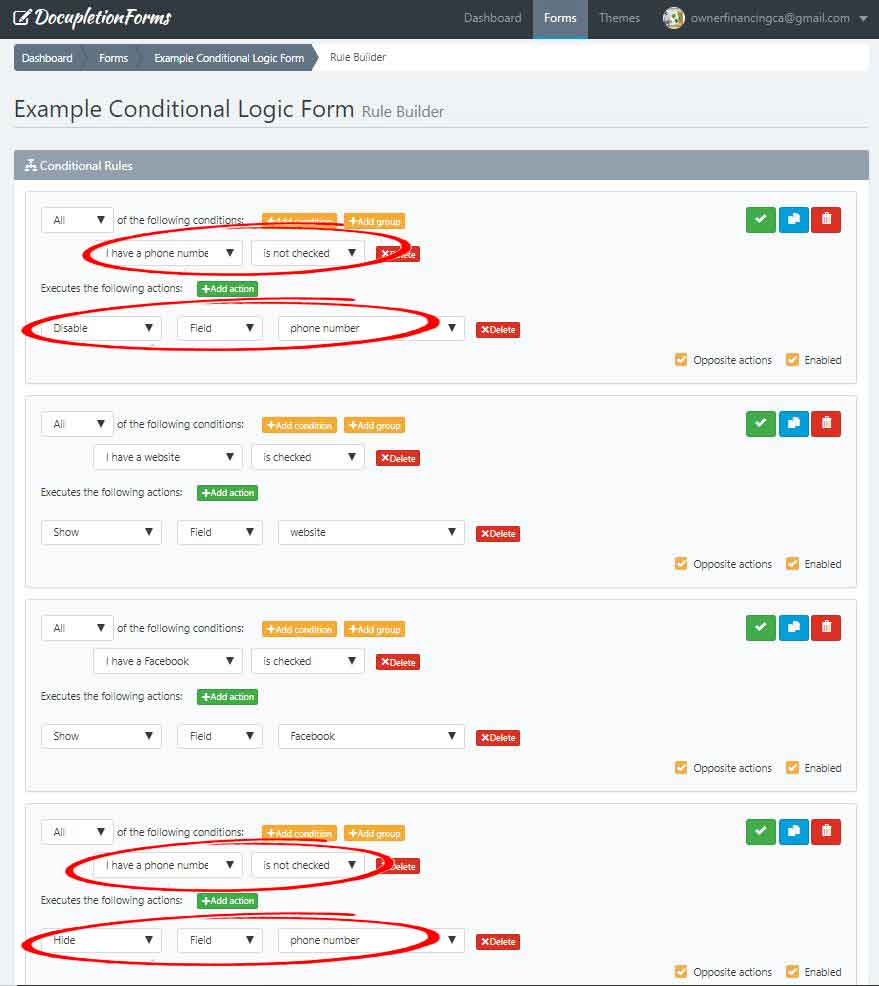
Link to the form so you can see the disabled element be required and enabled when selected and shown.
https://docupletionforms.com/formbuilder/forms/example-conditional-logic-form
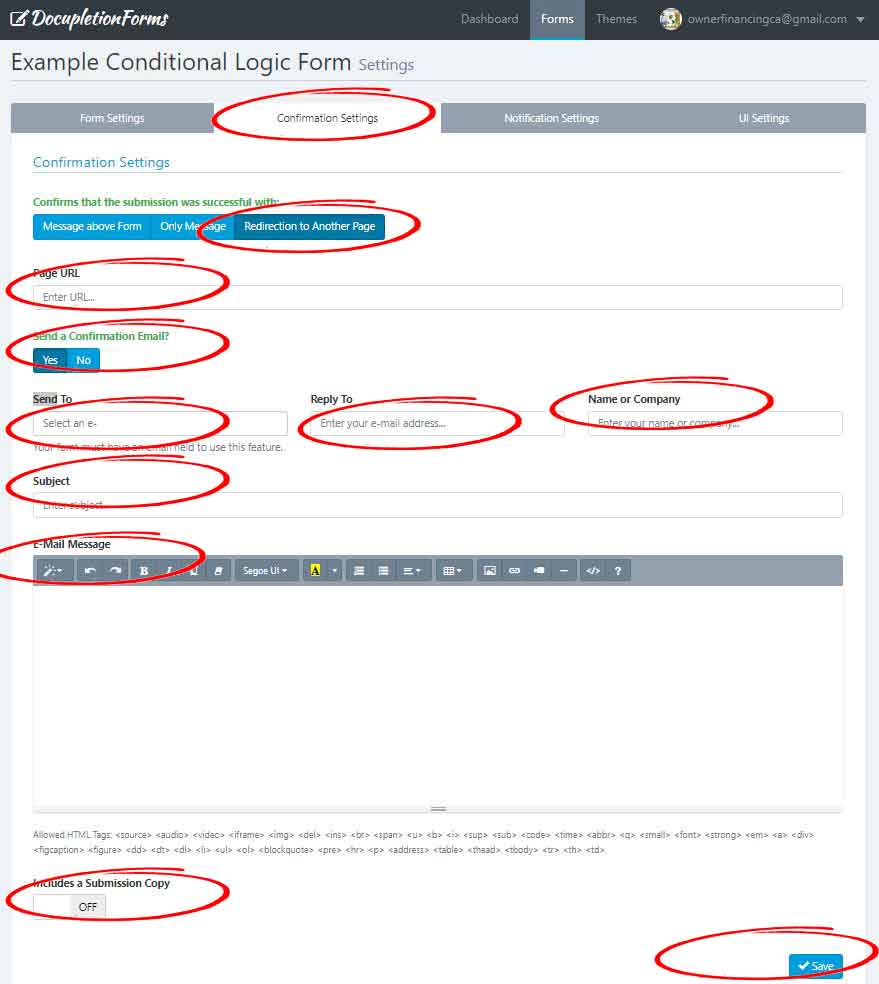
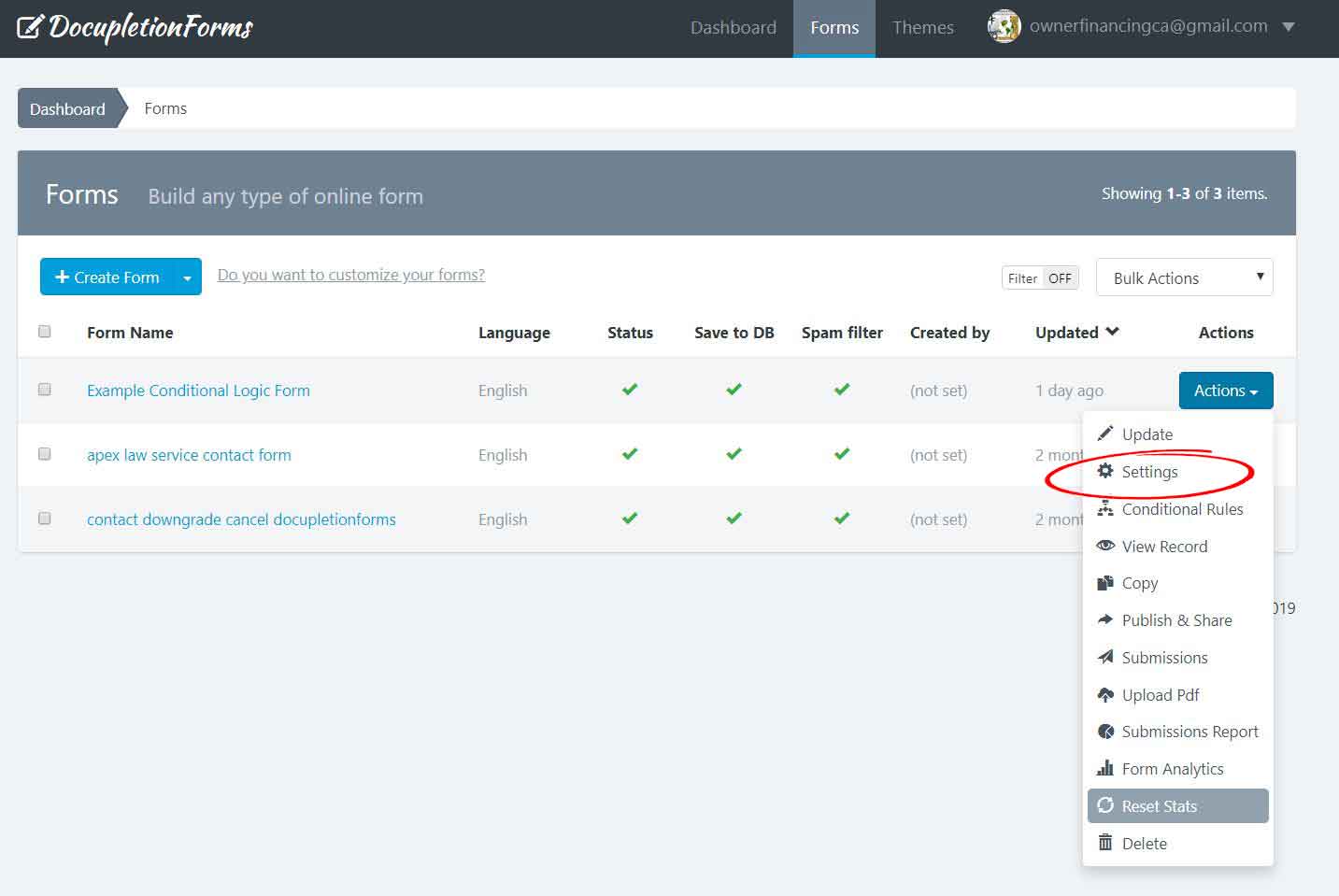 2. Click the circled elements and make sure to enter the appropriate information so that the person submitting their form receives a confirmation email. I circled the redirect to another page setting, but you can select the two options that give the person submitting the form a message rather than redirecting them anywhere.
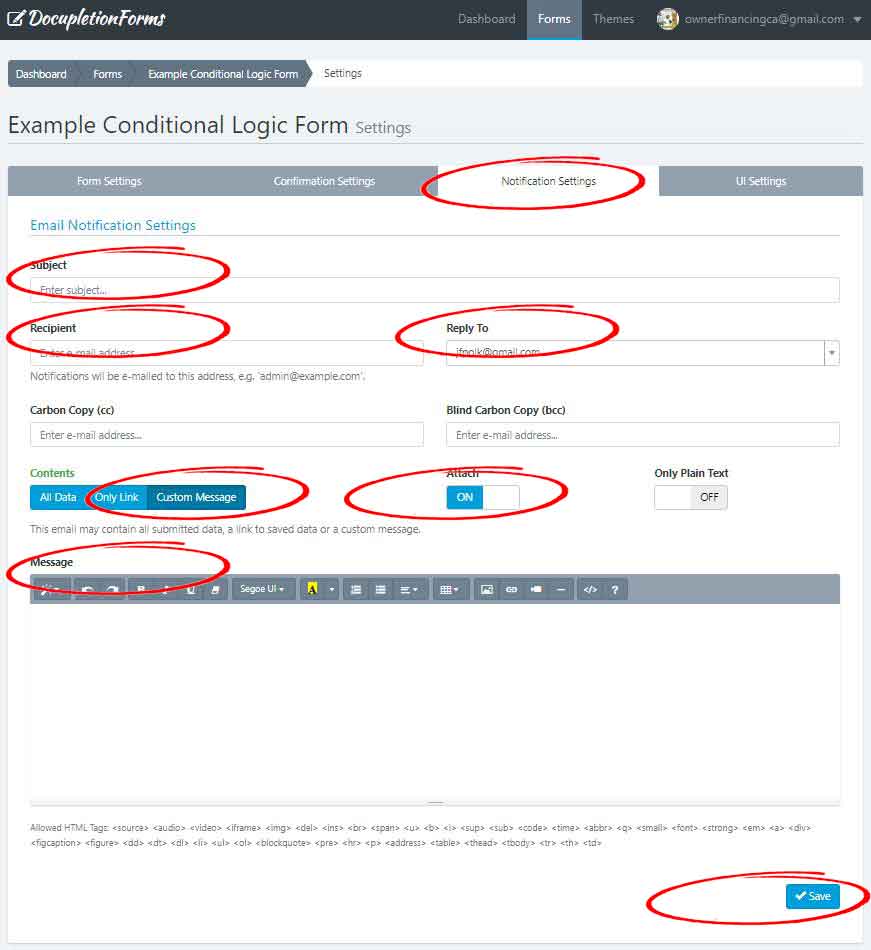
 3. Click the circled elements and make sure to enter the appropriate information so that you yourself receive a preset notification email.
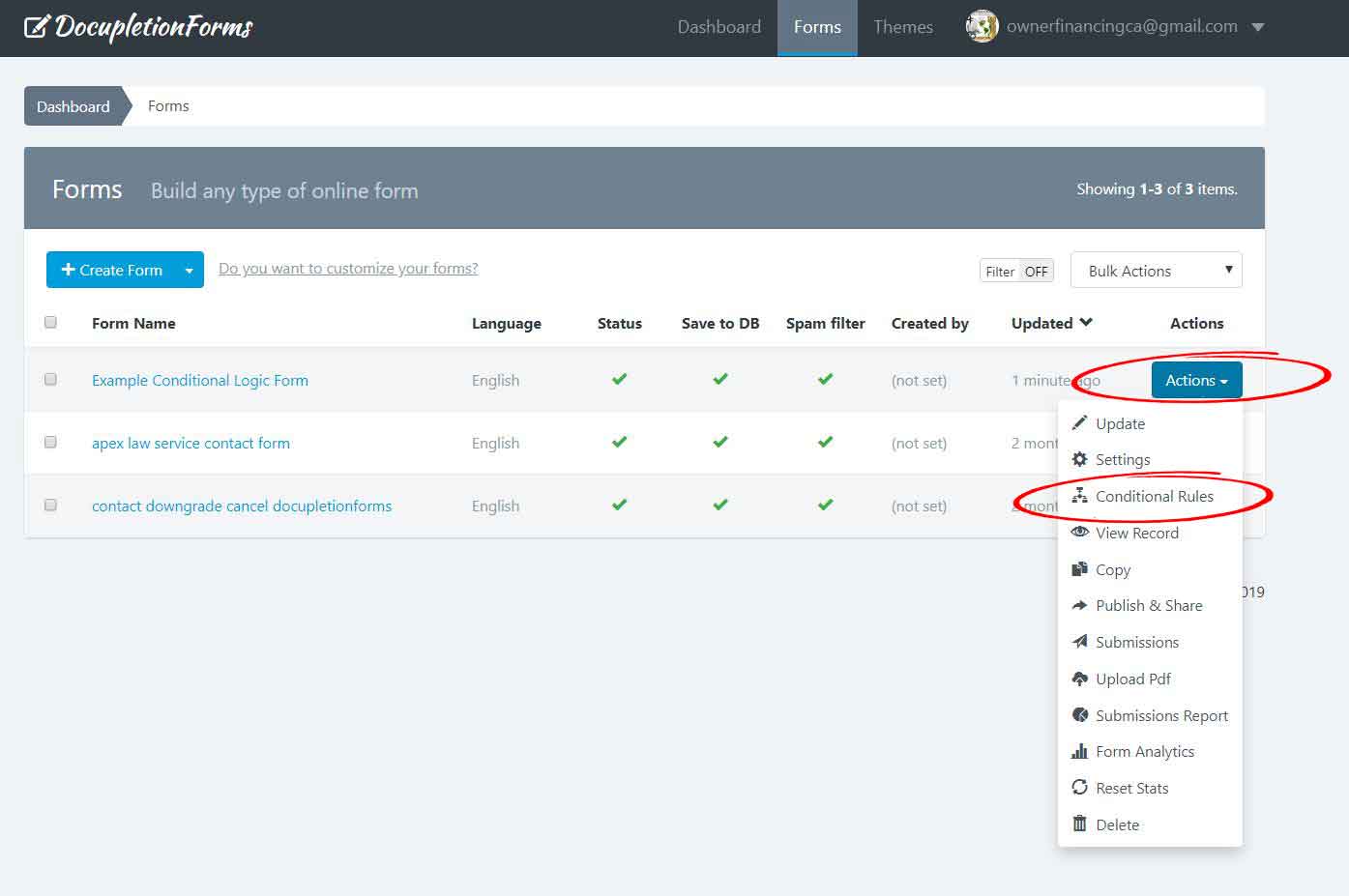
 4. Click the publish & share tab in the actions drop down menu in the form tab.
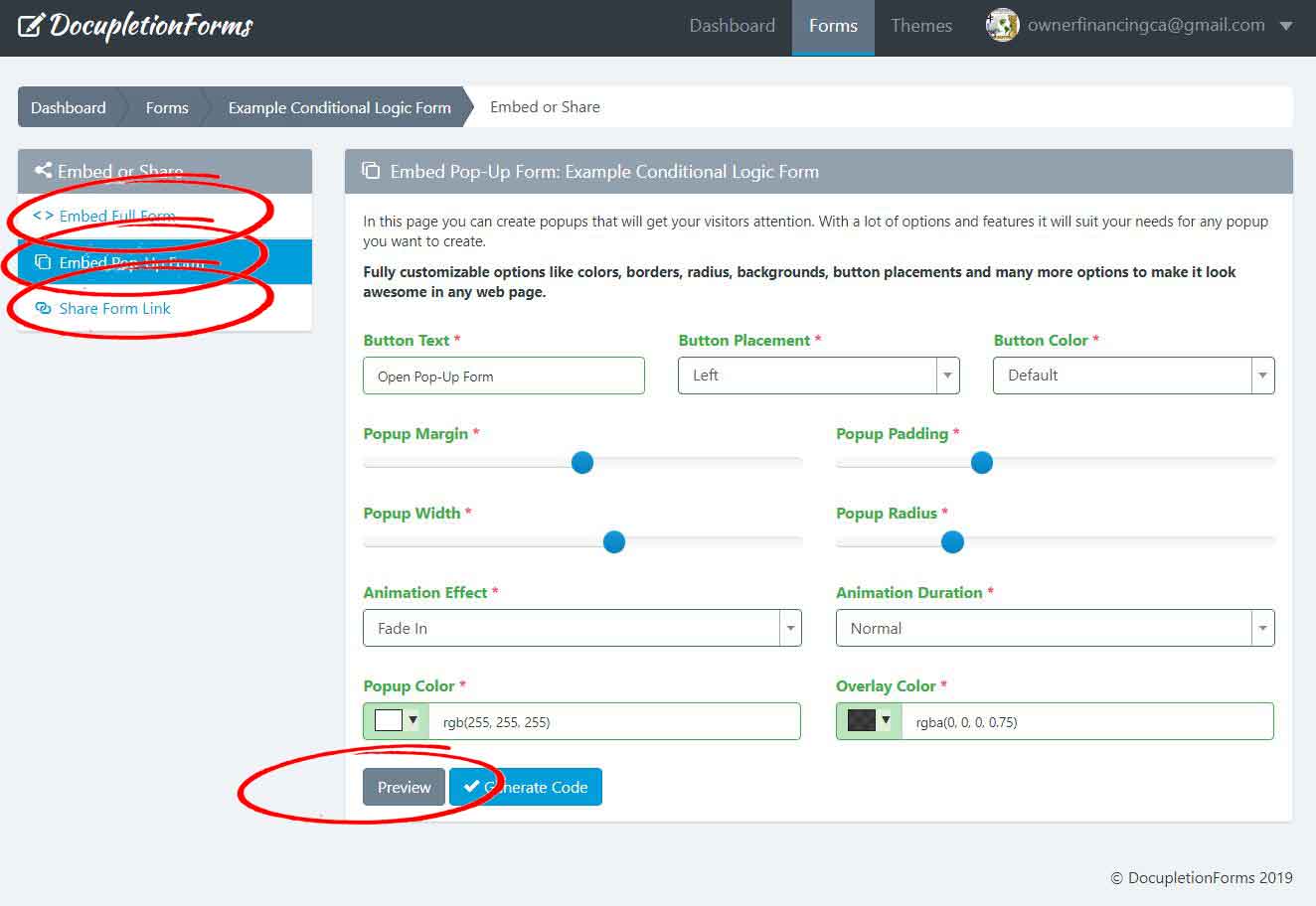
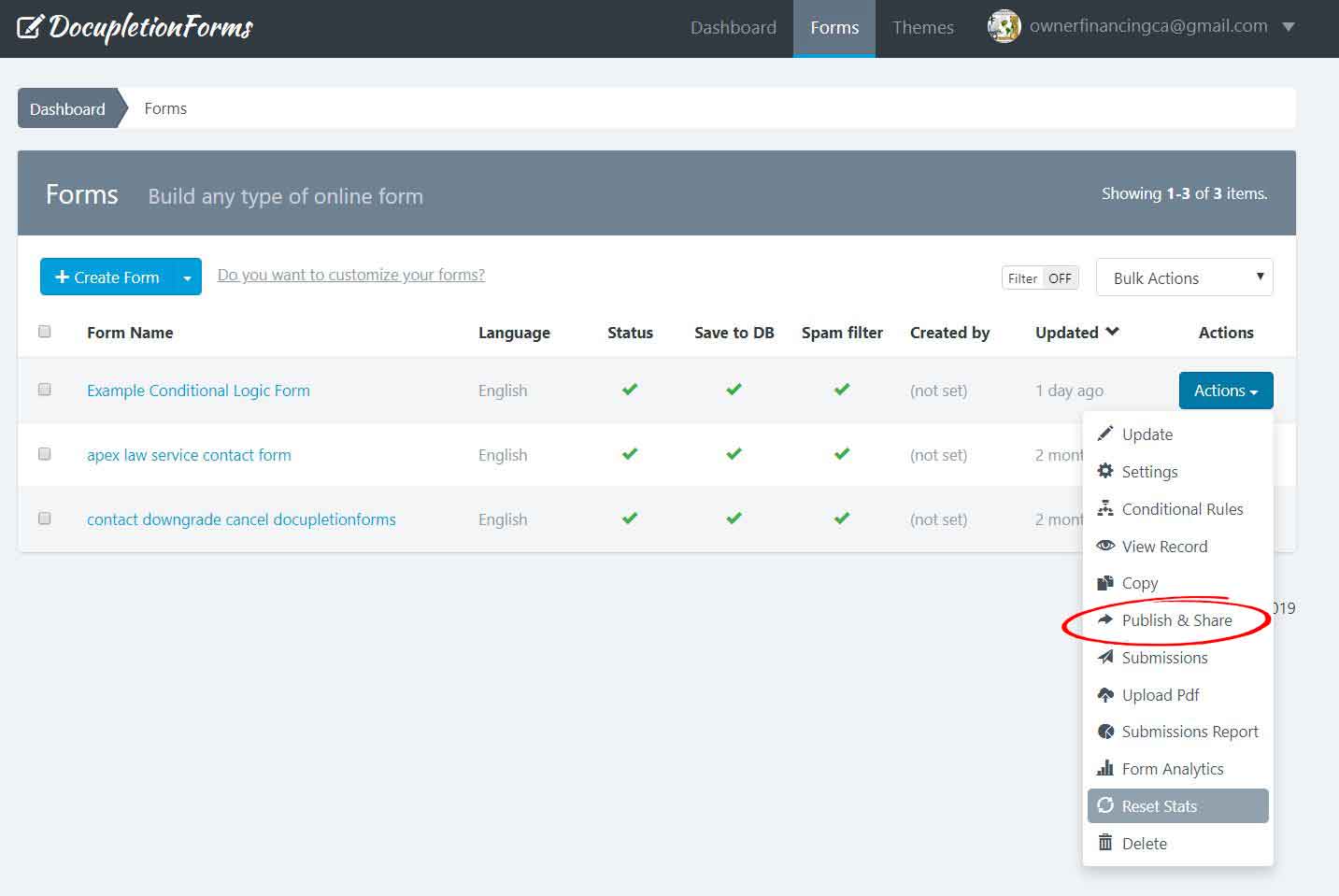 5. Click either the embed full form tab (gives you an html code to embed into your page where you want to embed the form. Our name will not appear at the top of your form), the embed pop up form tab (gives you an html code and it is really nice looking the way it makes the form pop over the page where you embed it. It can cause problems with the spacing on your desktop viewed website pages and it can also interfere with smartphones. You just have to fiddle with it. It is super nice looking. Our name will not appear at the top of your form), or the share link tab (leave the without box checkbox unchecked at the bottom friendly link section and our name will show at the top of your form, check it and it will not show, but it will be a full page).